FCK Xiaomi FRP Credits
SKU FCK-CR · Server Credits
Price per credit
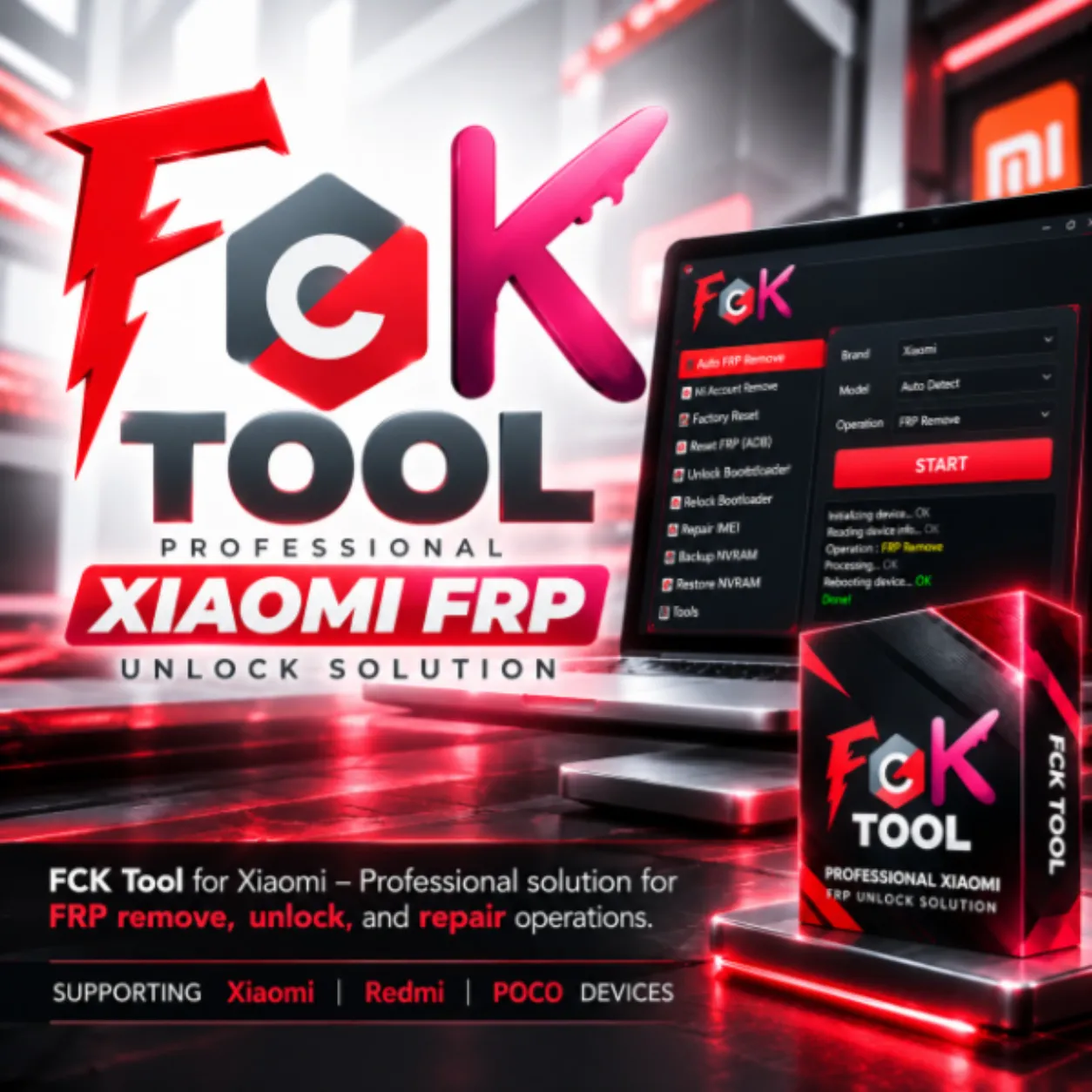
FCK Tool is a professional GSM servicing software for Xiaomi devices. Perform FRP removal, unlocking operations, and advanced device servicing quickly and securely.
- Existing FCK users only
- Any quantity
- Xiaomi FRP
Description
🔧 FCK Tool – Xiaomi FRP & Unlock Software
FCK Tool is a professional GSM servicing solution developed for mobile technicians working with supported Xiaomi, Redmi and POCO devices.
The software provides supported solutions for FRP removal, unlocking operations and Xiaomi device servicing through an online and server-assisted workflow.
FCK Tool is designed for professional repair shops and GSM technicians who need a simple interface, supported online operations and regularly updated Xiaomi servicing functions.
FCK Tool – Professional Xiaomi servicing software.
⚠️ Must Register Before Order
You must register your FCK Tool account before placing an activation order.
Please create your account first on the official FCK Tool website and verify that your registration details are correct before submitting your order.
Mandatory Requirement: Registration must be completed before ordering. Use the same registered account information when placing your activation order. 📝 Register Account ⬇️ Download FCK Tool✨ Main Features
- ✅ Xiaomi FRP Removal
- ✅ Supported Unlock Operations
- ✅ Xiaomi Device Servicing
- ✅ Redmi Series Support
- ✅ Redmi Note Series Support
- ✅ POCO Series Support
- ✅ Multiple Xiaomi Model Support
- ✅ Online / Server-Based Processing
- ✅ Fast Processing Workflow
- ✅ User-Friendly Software Interface
- ✅ Regular Software Updates
- ✅ Professional GSM Servicing Solution
FCK Tool supported Xiaomi operations and servicing options.
📱 Supported Device Families
FCK Tool is designed for compatible Xiaomi Android smartphones across multiple Xiaomi product families.
- ✔️ Xiaomi Series
- ✔️ Xiaomi Mi Series
- ✔️ Redmi Series
- ✔️ Redmi Note Series
- ✔️ POCO Series
- ✔️ Other Supported Xiaomi Android Models
⚙️ Supported Operations
- ✔️ FRP Removal on Supported Xiaomi Devices
- ✔️ Supported Unlock Functions
- ✔️ Supported Xiaomi Device Servicing Operations
- ✔️ Online Processing Where Required
- ✔️ Server-Based Processing Where Available
FCK Tool interface and supported servicing workflow.
📝 Registration Before Activation
FCK Tool activation requires an existing registered account.
- Open the official FCK Tool website.
- Create your FCK Tool account.
- Complete the registration process.
- Check your registered username / email carefully.
- Use the same registered account information when placing your activation order.
🛠️ Activation & Setup Process
- Register your FCK Tool account before ordering.
- Verify your registered account information.
- Place the activation order using your registered details.
- Wait until your activation is successfully processed.
- Download the latest FCK Tool software.
- Install the software on your supported Windows computer.
- Install the required Xiaomi / USB drivers where applicable.
- Login using your activated FCK Tool account.
- Connect the supported Xiaomi device.
- Select the required supported operation.
- Follow the instructions shown inside FCK Tool.
- Keep the device and internet connection stable until processing is completed.
💻 System Requirements
| Operating System | Supported Windows PC / Laptop |
|---|---|
| Internet Connection | Stable Internet Connection Required for Online and Server Functions |
| USB Connection | Original or High-Quality USB Data Cable Recommended |
| Drivers | Required Xiaomi / Device Drivers Must Be Installed Where Applicable |
| Software | Latest Available FCK Tool Version Recommended |
| Account | Registered and Activated FCK Tool Account Required |
| Software Type | Online GSM Servicing Tool |
🎯 Suitable For
- ✔️ GSM Repair Shops
- ✔️ Professional Mobile Technicians
- ✔️ Xiaomi Repair Specialists
- ✔️ Mobile Service Centers
- ✔️ Redmi / POCO Repair Technicians
- ✔️ Professional Device Servicing Businesses
🔒 Important Notes
- ⚠️ FCK Tool account registration is mandatory before placing an order.
- ⚠️ Use the same registered account information when submitting your activation.
- ✔️ Always verify your username / email before ordering.
- ✔️ Device compatibility depends on the latest FCK Tool support.
- ✔️ Supported operations may vary by device model, chipset, firmware and security patch.
- ✔️ Always use the latest available FCK Tool software.
- ✔️ Stable internet connection may be required for activation and server-based operations.
- ✔️ Required Xiaomi and USB drivers must be installed correctly.
- ✔️ Verify exact device and operation support before processing.
- ✔️ Server-based functions depend on current server availability.
- ✔️ Never disconnect the device during an active servicing operation unless instructed by the software.
- ✔️ Use FCK Tool only on devices you own or are legally authorized to service.
- ✔️ This is a digital activation/service. No physical product will be shipped.
- ⚠️ Unregistered Account = No Refund.
- ⚠️ Wrong Username / Email / Account Information = No Refund.
- ⚠️ Wrong Activation Information = No Refund.
- ⚠️ Unsupported Device / Unsupported Operation = No Refund.
- ⚠️ Successfully Completed Activation = No Refund.
License rules
- A new activation creates a fresh login; a renewal extends the username you already have.
- Credits are loaded onto your existing server login and stay there — they are never emailed as codes.
- A service job (for example an iOS case) needs the case id you enter above; results are sent by email.
- Access packs are one seat unless the product name says two users.
- There are no returns once the license or code has been shown or applied to your account.
Related products
More in Server Credits